Comfy Org (ComfyUI) · 2025.11 – 2026.03
ComfyUI Missing Nodes & Node Replacement UI
Clear guidance when a shared workflow needs nodes or models you don't have, plus a node replacement UI.
Overview
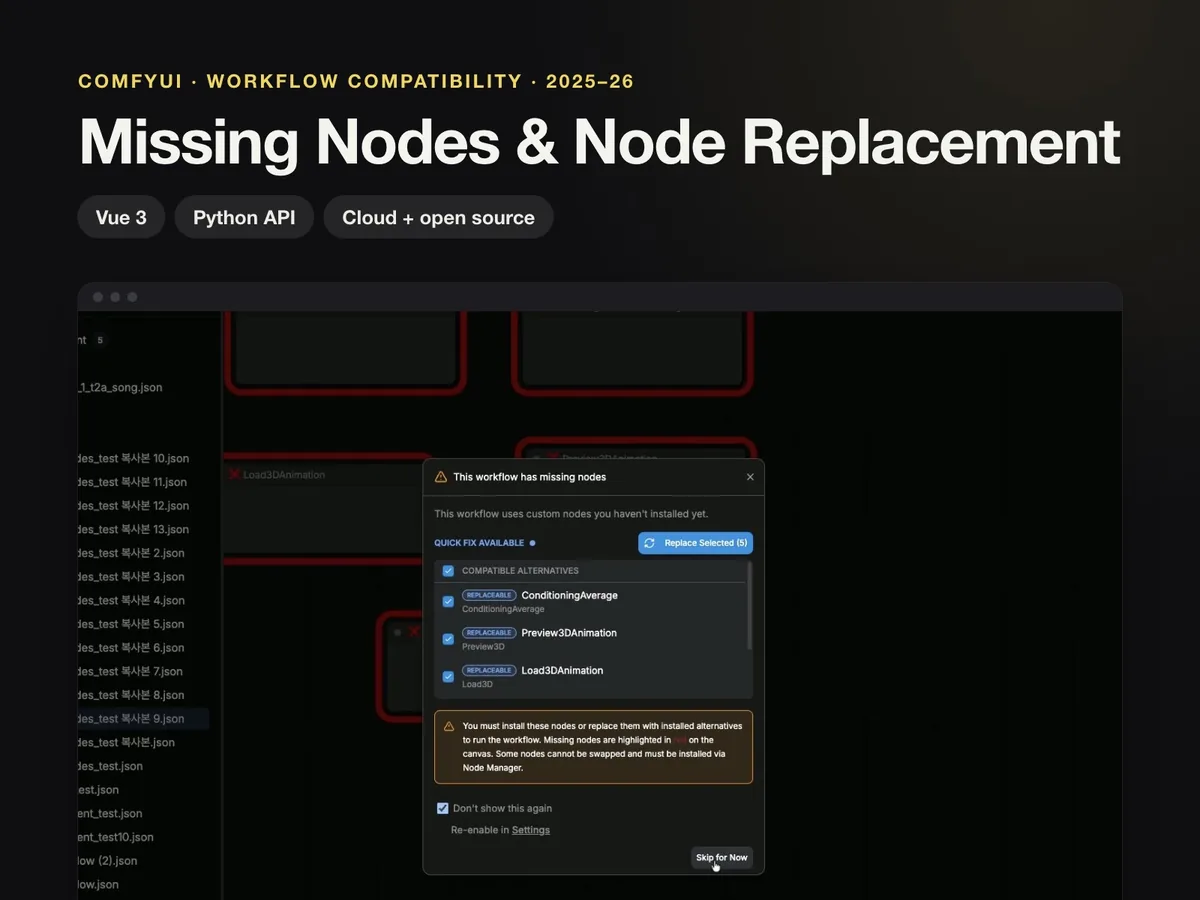
When a shared workflow uses nodes or models that aren't installed, ComfyUI now explains what is missing and how to fix it.
Background
Problem
Opening someone else's workflow often failed because nodes or models were missing, and users couldn't easily tell what to install.
What I did
- Merged the Cloud and open-source versions of the missing nodes modal into one.
- Added missing-node warnings to the queue button and the breadcrumb.
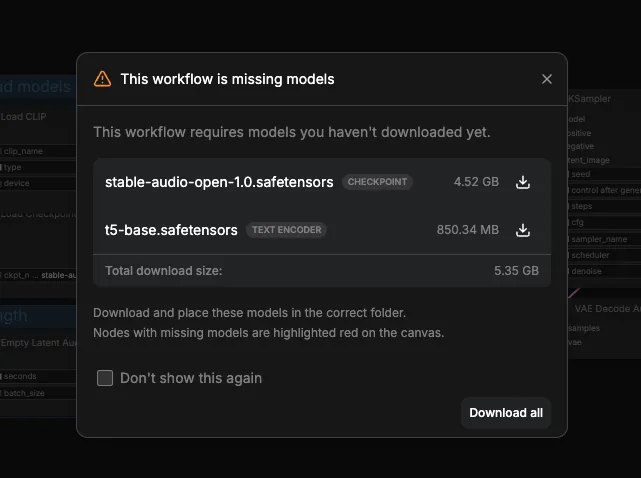
- Redesigned the missing models dialog to show the download size of each file.
- Built the Node Replacement UI that swaps deprecated nodes for their replacements.
- Moved the legacy node replacement mapping, hard-coded in the frontend, to a Python backend API so it is managed in one place (frontend and backend PRs merged the same day).
Results
- Replacement mapping centralized
With the mapping behind a backend API, it can be updated without a frontend release.
Key features
- 01
Node replacement UI
Replaces deprecated nodes with compatible ones in one step.
- 02
Missing models dialog
Required models, the size of each file and download buttons on one screen.
Screens
Links